Discover, book and unlock exclusive perks across Australia - all in one place.
The YHA Explorer App helps you make the most of your YHA membership and make it easier than ever to explore Australia. Scan the QR code or click here to download straight to your device!



The YHA Explorer App lets you...




YHA Explorer App FAQs
The YHA Explorer App is designed to enhance your travel experience by making every step easier, more rewarding, and more connected. The following FAQs will guide you through everything from setting up your account to unlocking exclusive member benefits, ensuring you can make the most of everything the app has to offer.
Do I need to be a YHA member to use the app?
No, you don’t need to be a member to browse the app or explore its features. However, you’ll need to sign up or log in to book stays. Exclusive benefits - like app-only discounts, your digital membership card, digital room key - are unlocked once you are a YHA member, either by staying with us or if you’re already a member.
How do I log in to the app?
- If you already have a YHA login: Use the same email address you previously used for yha.com.au or modebyyha.com.au to sign into the app. You can continue to sign in using your password and existing authentication method, or set up a passkey for quicker sign-ins in future.
- If you need to create a login: Simply follow the sign-up steps in the app. After entering your email address, you'll be given the option to create a passkey. You can also choose to continue with the standard password and authentication process.
All users will need to verify their email address when prompted.
What's a passkey? A passkey is a simple and secure way to sign in using the security already built into your device - such as Face ID, fingerprint or your device PIN/passcode. Once your passkey is set up, future sign-ins are much quicker, with no need to enter an SMS or Authenticator App code as part of your normal passkey sign-in. Just follow the prompts on your device to set it up.
Don't want to use a passkey?
That's OK. You can continue to use your password and the available multi-factor authentication (MFA) options, such as SMS or an Authenticator App.
Already have a YHA login? When setting up a passkey for the first time, you may still be asked to complete your existing authentication, such as entering an SMS or Authenticator App code. This confirms it's really you before the passkey is added to your account.
If you try to reset your password and don't receive an email, this might mean we don't have a login registered for your email address. In this case, create a new account to get started.
What are the main features of the app?
The YHA app is packed with handy features to make your stay easier, from booking to check-out:
- Book your next stay quickly and easily
- Access exclusive app-only discounts
- Keep your digital membership card with you wherever you go
- View your reservations all in one place
- Cancel eligible bookings directly in the app
- Use your phone as your room key
- Chat directly with the YHA team through in-app messaging
- Auto-connect to YHA Wi-Fi - activate once in the app and connect automatically at YHA properties
- Discover events and activities happening during your stay
- Transfer, share or import reservations with ease
- Save time on arrival with digital self check-in
And stay tuned for more exciting upcoming features.
What are the app-exclusive member benefits?
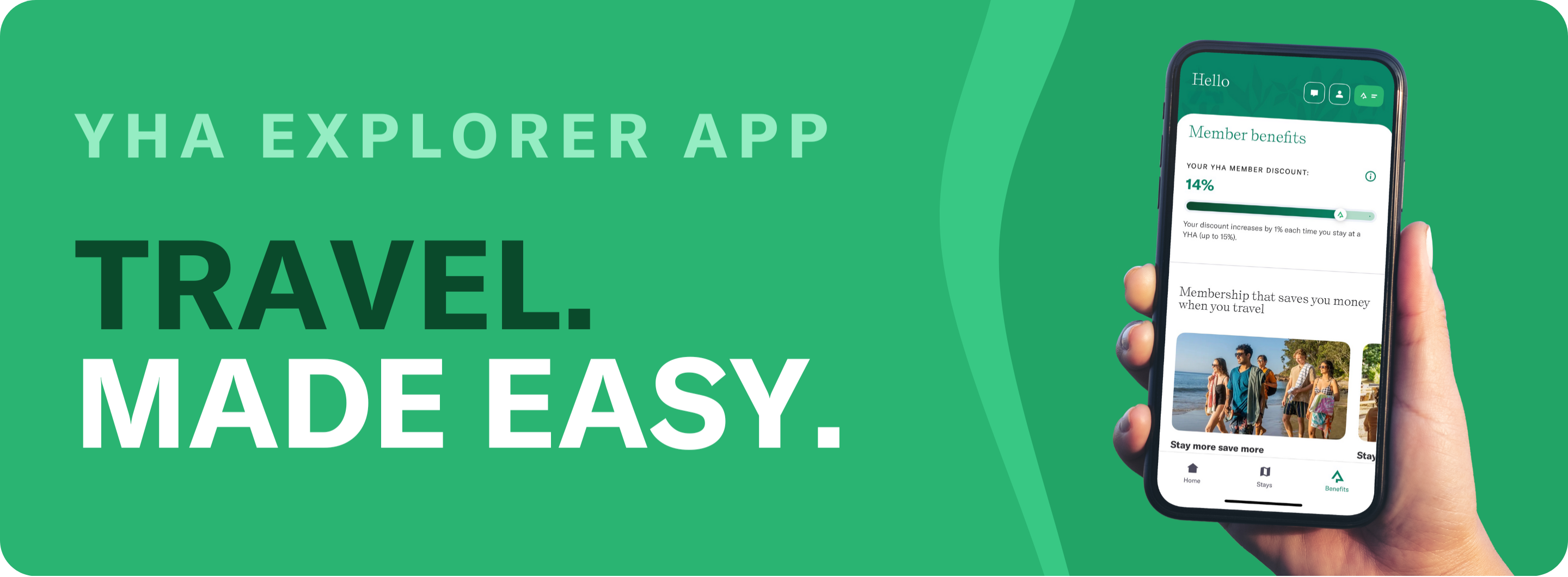
By using the app, you’ll enjoy a range of exclusive benefits. Book your YHA stay on the app to receive an immediate 10% discount at select YHA locations across Australia. Be rewarded with further discounts with every stay to reach the top tier discount of 15%. Receive a 10% discount at YHA cafes, bars, and kiosks, and treat yourself to barista-made coffee, a rooftop cocktail, and convenient snack to fuel your adventures.
How does my app-exclusive member discount work?
The app-exclusive member discount is available when you book directly through the app. It doesn’t apply to bookings made via yha.com.au, online travel agents (e.g., Booking.com), travel agents, or through our reservations team.
The discount starts at 10% off your first booking, and increases by 1% with each stay (activated at check-in), up to a maximum of 15%.
If your membership expires, your discount will be temporarily put on hold. Once you complete another stay, the discount will be reinstated.
How do I access my membership card in the app?
Simply click the card icon (logo with two white lines) at the top right of the app to view your membership card, or click here.
Can I view/manage my reservations in the app?
Yes, you can view all bookings made directly with YHA through the app, including past, present, and future stays, as long as the email address on your booking matches the one you use to log in. You can also cancel eligible bookings directly in the app, subject to the booking’s cancellation terms.
If your stay wasn’t booked directly with YHA, you can import your reservation into the app. For the best savings and exclusive app discounts, we recommend booking directly through the app next time to unlock even more benefits.
If your booking is missing, please contact us via the app for assistance.
How do I get a wallet key for my stay?
You can now use your phone as your key at all YHA properties - no more plastic cards. Once you’ve checked in, simply add your key to your digital wallet. You’ll be able to tap to access your room, shared bathrooms, lifts, and other secure areas - without even unlocking your phone. It’s secure, convenient, and better for the planet.
What should I do if I'm experiencing issues with my wallet key?
If you're having trouble with your wallet key, our Wallet FAQs can help resolve common issues, such as trouble with device compatibility, key activation, or access to your room and facilities.
Can I check-in for my stay via the app?
We’re currently trialling self check-in at selected properties, making it even easier to start your stay. If your booking is eligible, the check-in option will appear in the app on the day of arrival (at check-in time).
How do I auto-connect to YHA Wi-Fi?
Take the hassle out of getting connected with Wi-Fi Auto-Connect. Activate it once in the YHA app and your phone will automatically connect to YHA Wi-Fi whenever you visit a YHA property.
- On mobile devices: Activate Wi-Fi Auto-Connect from the Benefits tab in the app. Once activated, your phone will automatically connect to YHA Wi-Fi whenever you're within range - no need to manually connect each time.
- On laptops and tablets: Select the YHA Wi-Fi network and enter your email address to get connected.
How does in-app messaging work?
In-app messaging lets you chat directly with the Reservations team at any time. Once you’ve made a booking, you’ll also be able to message the property where you’re staying - before, during, and for up to 7 days after check-out - so you’re always connected when it matters.
Why didn't my discount increase?
Your discount only increases after each stay made through the YHA Explorer app. If your most recent booking was not made via the app or you haven’t yet stayed, your discount will remain the same.
Is my payment information secure on the app?
Yes, your payment details are secure. The app uses advanced security measures to protect your payment information. Once submitted, your card number is replaced with a secure token for payment processing (only the first 6 and last 4 digits of your card are visible). Only YHA can apply charges using this token, helping keep your payment information safe.
You can also remove expired or incorrect payment details from the app, as long as they aren't linked to an upcoming reservation.
Can I use the app offline?
No, the app requires an internet connection to function. However, all YHA properties offer Wi-Fi, so you can stay connected and make the most of the app during your stay.
How can I delete my login for the app?
Submit your request here.
How can I get support or provide feedback about the app?
If you need assistance with the app, you can reach out to our support team here.
For any feedback, suggestions, or improvements, please fill out our feedback form or use the in-app feedback prompt that may appear.
Terms of use | Important disclosures